How to Build a Website with Claude: 3 Ways Compared
Published · Updated
This guide uses Claude. Using ChatGPT instead? Read the ChatGPT version.
On this page
Asking Claude for a website is easy. Getting that website to a URL other people can open, with a contact form that actually reaches your inbox, is where the question usually stalls.
There are three realistic answers, and they are good at different things. This guide compares them honestly, then walks through the one that needs the least setup.
The three options at a glance
| Artifact | Claude Code + GitHub + Cloudflare Pages | Connector (FormEdge) | |
|---|---|---|---|
| Setup needed | None | Terminal, Git, two accounts | One connector, connected once |
| Who publishes | You share a link from Claude | You push, the host builds | Claude, from the conversation |
| Editing later | Ask Claude again | Edit code, push again | Ask Claude, or use the dashboard |
| Contact form | No place to store replies | You add a form service or write a backend | Included — replies are stored, and emailed to you |
| Good for | Trying an idea in minutes | Full control over the code | Getting a real page live without code |
None of these is "the best one". Pick by what you are actually trying to do.
Option 1 — Artifacts: fastest, but it is not your website
Ask Claude for a landing page and you get a working page you can look at immediately, iterate on in the same conversation, and share with a link.
What it is good at: showing a layout to a colleague, testing a headline, prototyping before you commit to anything.
Where it breaks: the page lives inside Claude rather than on an address you control, and a form on it has nowhere to send submissions. Treat it as a sketch, not as your storefront.
Option 2 — Claude Code, GitHub and Cloudflare Pages: real site, real setup
Claude Code writes the files on your machine, you commit them to GitHub, and Cloudflare Pages builds and serves the result on a domain you own.
What it is good at: you own every file, hosting a static site is inexpensive, and you can take the project anywhere later.
Where it breaks: it assumes you are comfortable with a terminal, Git and a deploy pipeline. And a contact form still needs a backend — a static host will serve your HTML, but it will not store what someone types into it. That is usually the step people underestimate.
Option 3 — A connector: Claude publishes the page for you
A connector gives Claude a way to operate another service directly from your conversation. FormEdge exposes one over MCP, so Claude can build the page, save it as a draft, hand you a preview link, and publish it once you approve — while the form on that page stores submissions, and emails you when one arrives.
What it is good at: no terminal, no deploy step, and the form works on the first try.
Where it breaks: you are working inside one service's page builder rather than arbitrary code, and the free plan has a monthly limit on AI agent calls.
Walkthrough: publishing with the connector
Create a FormEdge account
Sign up with an email address. The free plan is enough to build and publish a page, including through the connector in the next step (with a monthly limit on calls).
Add the connector in Claude
In claude.ai, open Settings > Connectors, choose Discover and type FormEdge. Select FormEdge from the results and press Connect to Claude.
Sometimes a page titled "Finish connecting a connector?" appears at this point. If it does, press Continue connecting.
Claude sends you to FormEdge to sign in. After you sign in, a consent screen that starts with "This will allow … access to:" appears. Review it and allow the connection. This only allows the connection itself. How much the AI may do can be narrowed later in the dashboard, as the next step explains.
Decide how much Claude may do
On a paid plan, the connection is approved automatically the first time you ask Claude to do something. Usually there is nothing else to set up.
If your workspace is on the free plan, Claude passes you a link to the approval page instead. Press Connect; when the page says "Claude is connected", go back to Claude and continue. On the free plan, AI calls have a monthly limit and the AI cannot retrieve submissions or attachments.
To narrow what Claude may do, change it under Settings > External app connections in the dashboard.
Describe the site and ask for a preview
Give Claude the facts rather than letting it invent them, and ask it to stop before publishing.
Prompt to paste
Build a one-page site in FormEdge for my business.

- Name: (e.g. Sunny Spot Bakery)
- What we do: (e.g. sourdough bread and pastries, baked in-house every morning)
- Address: (e.g. 123 Main Street, Springfield)
- Phone: (e.g. (555) 555-0142)
- Hours: (e.g. 7 AM to 4 PM, closed Mondays)
- What makes us different: (e.g. locally milled flour, naturally leavened, nothing frozen)

Sections: intro, what we offer, how to find us, and a contact form.
Contact form fields: name, email, message.

Do not publish it yet — give me a preview link first.
Read the preview before you trust it
Open the preview on a phone as well as a desktop, and check the things Claude could not have known:
- Hours, address and phone number, exactly as you gave them
- Claims you never made — "free parking", "open daily", award language
- Whether the page still reads like your business at the length it ended up
- Layout that leans to one side, or gaps that look unintended
Corrections go back into the same conversation. For layout, describing what you see is enough.
Prompt to paste
Shorten the headline.
We are also closed on Tuesdays.
Add "Corner of Main and 3rd" to the directions section.
The menu section looks pushed to the left — center it.
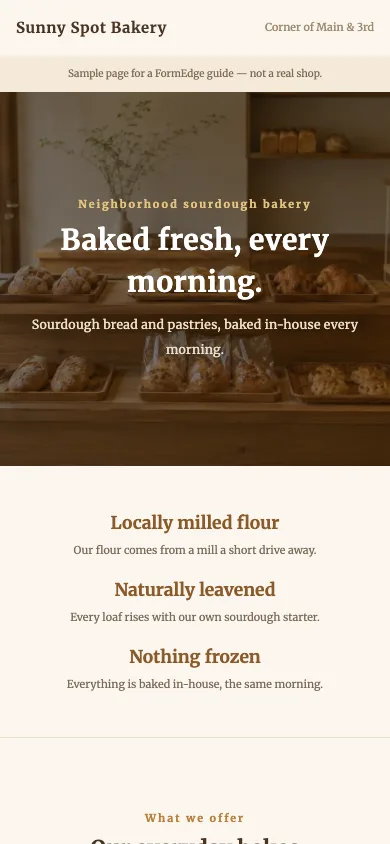
The example page at phone width Publish the page
When the page reads correctly, ask Claude to publish it and give you the public URL.
Prompt to paste
Looks right. Publish it and send me the public URL.
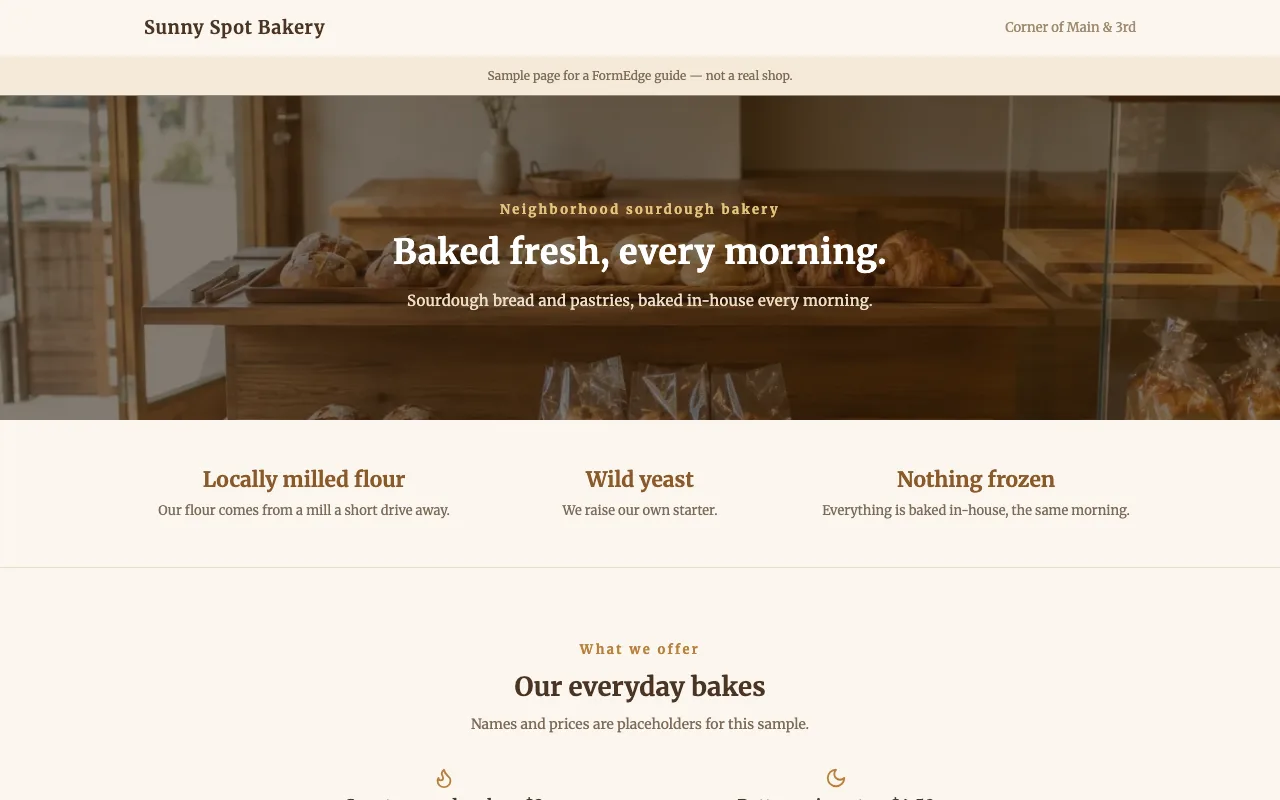
The example page built and published with this walkthrough You can open the example page that was built by following these steps. It is a fictional shop.
Make sure enquiries reach you
Last, check where the form sends a notification when someone submits it.
Ask Claude if you want a different address, a second one, or the submitted content in the email as well.
Prompt to paste
When someone submits the contact form, notify me by email at (your email address).
Paid plans can also notify Slack, Discord, Microsoft Teams, Google Chat or LINE, or call an external system through a webhook.
Then submit the form once yourself and confirm that the notification reaches the address you expect — a form nobody has tested is the most common way a new site quietly loses enquiries.
Going further than a contact form
Once the page is live, the same form can collect more than a message.
- Booking requests — add the fields you need for a date and time. What arrives is a request, not a confirmed booking; you check availability and reply.
- Payments — take card payments after submission as a fixed amount multiplied by a quantity.
Which one should you pick?
If you are exploring, start with an artifact — it costs nothing and takes a minute. If you want to own the code and you already live in a terminal, Claude Code with a static host is the right shape. If what you need is a page at a real URL with a form that works today, the connector route skips the parts that usually stall.
FAQ
- Can Claude publish a website on its own?
- Claude can write the page, but something has to host it. An artifact lives inside Claude, Claude Code needs a host you set up such as Cloudflare Pages, and a connector lets Claude publish to a hosting service directly from the conversation.
- Why does a contact form need more than HTML?
- A form in plain HTML has nowhere to send what people type. Storing submissions, emailing you about them, and blocking spam all happen on a server, so you either write that yourself or use a service that provides it.
- Do I need a paid plan to connect Claude to FormEdge?
- Connecting an AI agent over MCP works on every plan. The free plan has a monthly limit on calls, and submissions and attachments cannot be retrieved from the AI agent (they can be viewed in the FormEdge dashboard).
- Will Claude write the copy for my business correctly?
- It writes a draft. Facts such as hours, prices and addresses come from what you tell it, and anything you leave out may be filled in by guesswork. Read the page before you publish it.
- Should I use ChatGPT or Claude for this?
- Either works, and the result is the same. Claude calls the connection a connector and ChatGPT calls it a plugin, but what FormEdge does is identical. Start with whichever one you already use.
Related reading
Publish a page with a working form
Start on the free plan — no credit card, no server to set up.
Get started freeNo credit card required · Free plan available